Watch one session happen
Real portal, demo class · not mock-upsThe real portal with a demo class in it, not mock-ups. Works for GL, Quest, CSSE, FSCE and school-set papers.
Set up your class in minutes
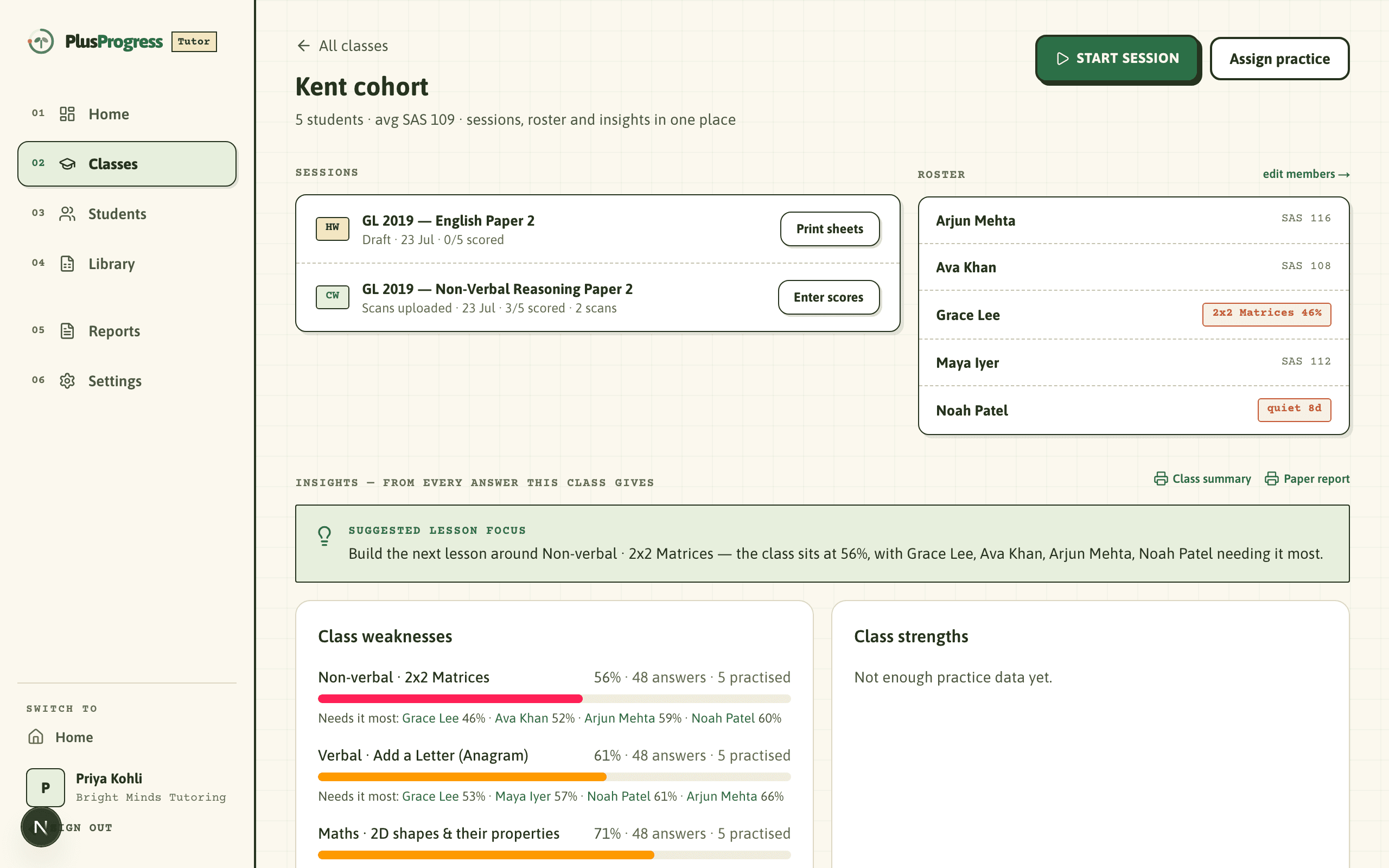
A class is who sits together: “Saturday 9am”, “Kent cohort”. Add students with managed logins that store only a first name and a year group, or paste your whole register in one go.
Pick the paper you already teach
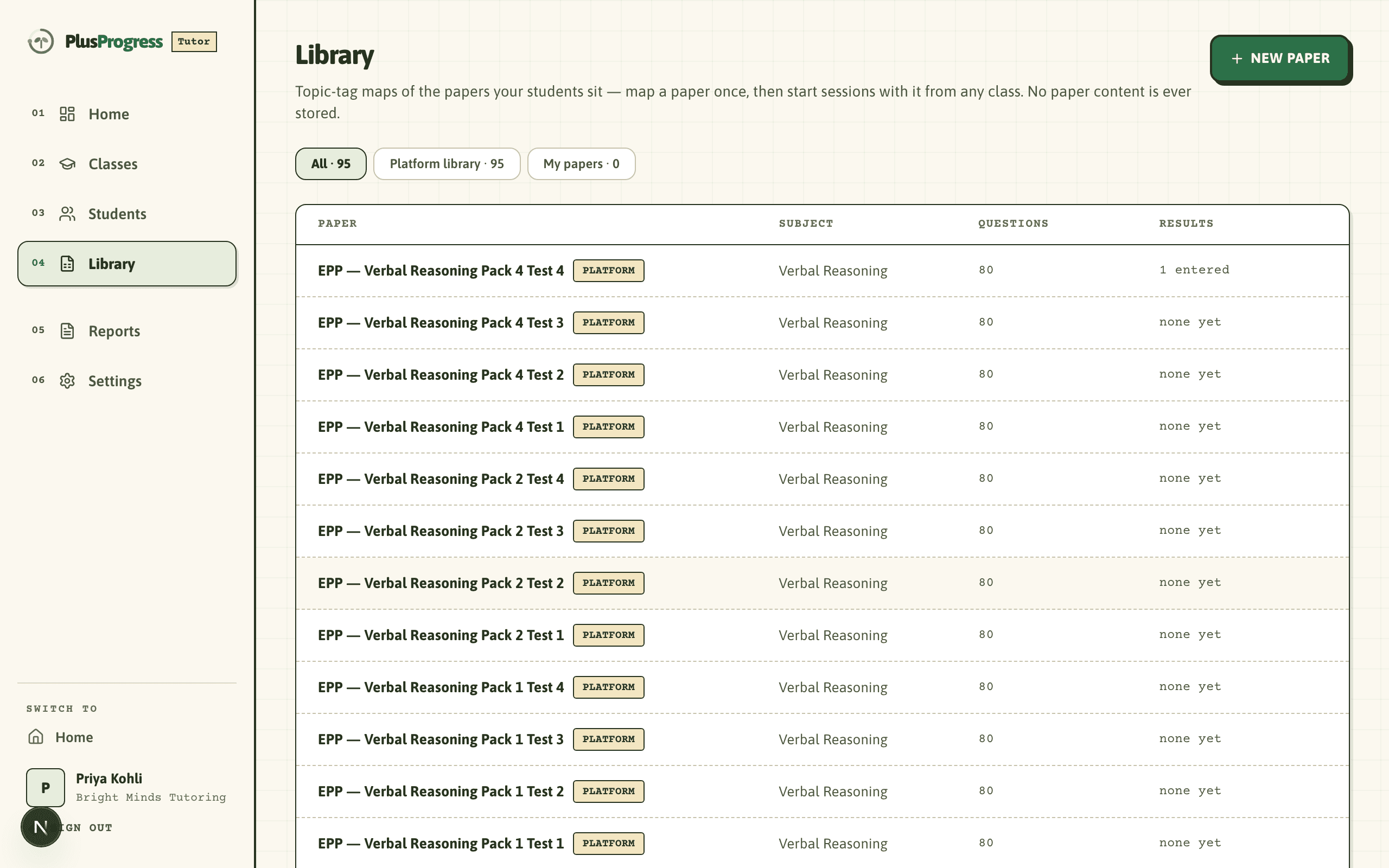
GL familiarisation papers and EPP packs are ready to use, or build a template from any paper you own: the platform stores which topic each question tests, never the paper itself, so your materials stay yours.
Print answer sheets with their names on
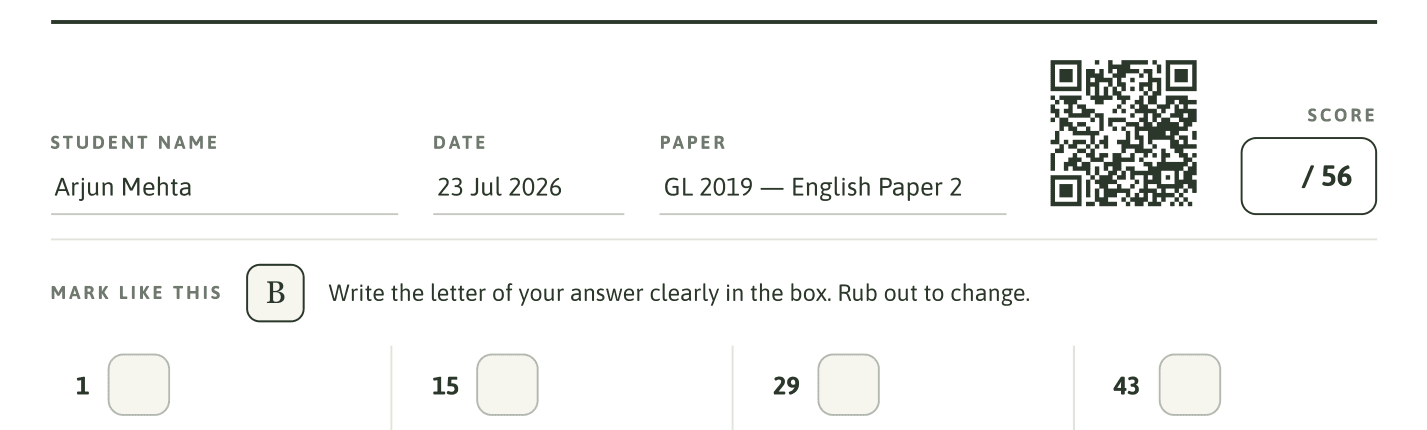
One click prints a sheet per student: name, date and paper filled in, a QR code that identifies every page, and a score box for the front of the pile. Hand them out and teach; the admin is already done.
Your students write; they don’t just shade boxes
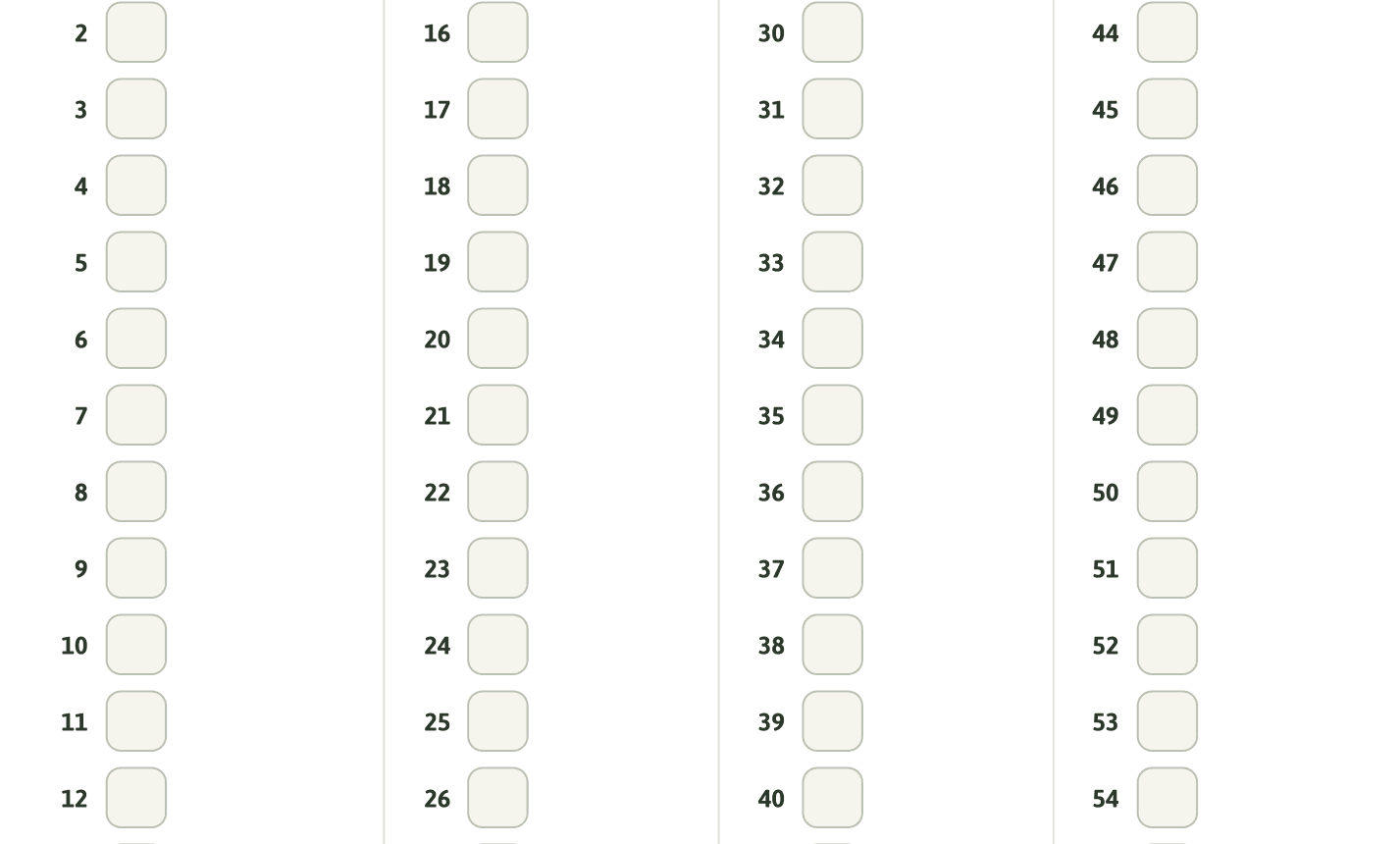
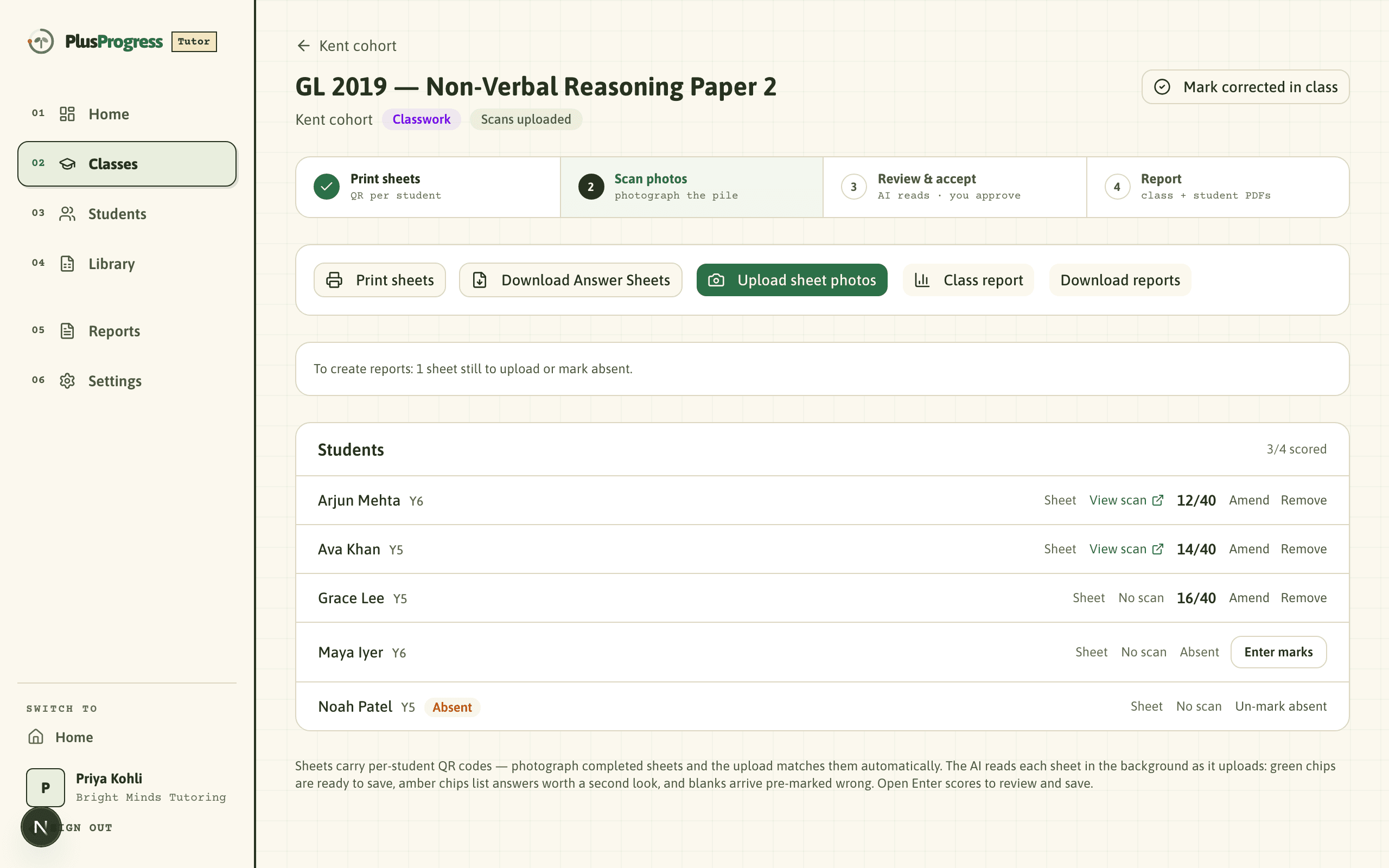
Letters for multiple choice, worked answers for maths, written by hand the way the real exam works. Anything our reader isn’t sure of is flagged to you instead of guessed.
Blanks arrive pre-marked wrong, and nothing is saved until you approve it: the final mark is always yours.
Photograph the pile from your phone
Upload the finished sheets as one batch. QR codes match every sheet to the right student automatically, the reader works through the pile while you carry on teaching, and clean sheets can be accepted in one click.
Reports land themselves
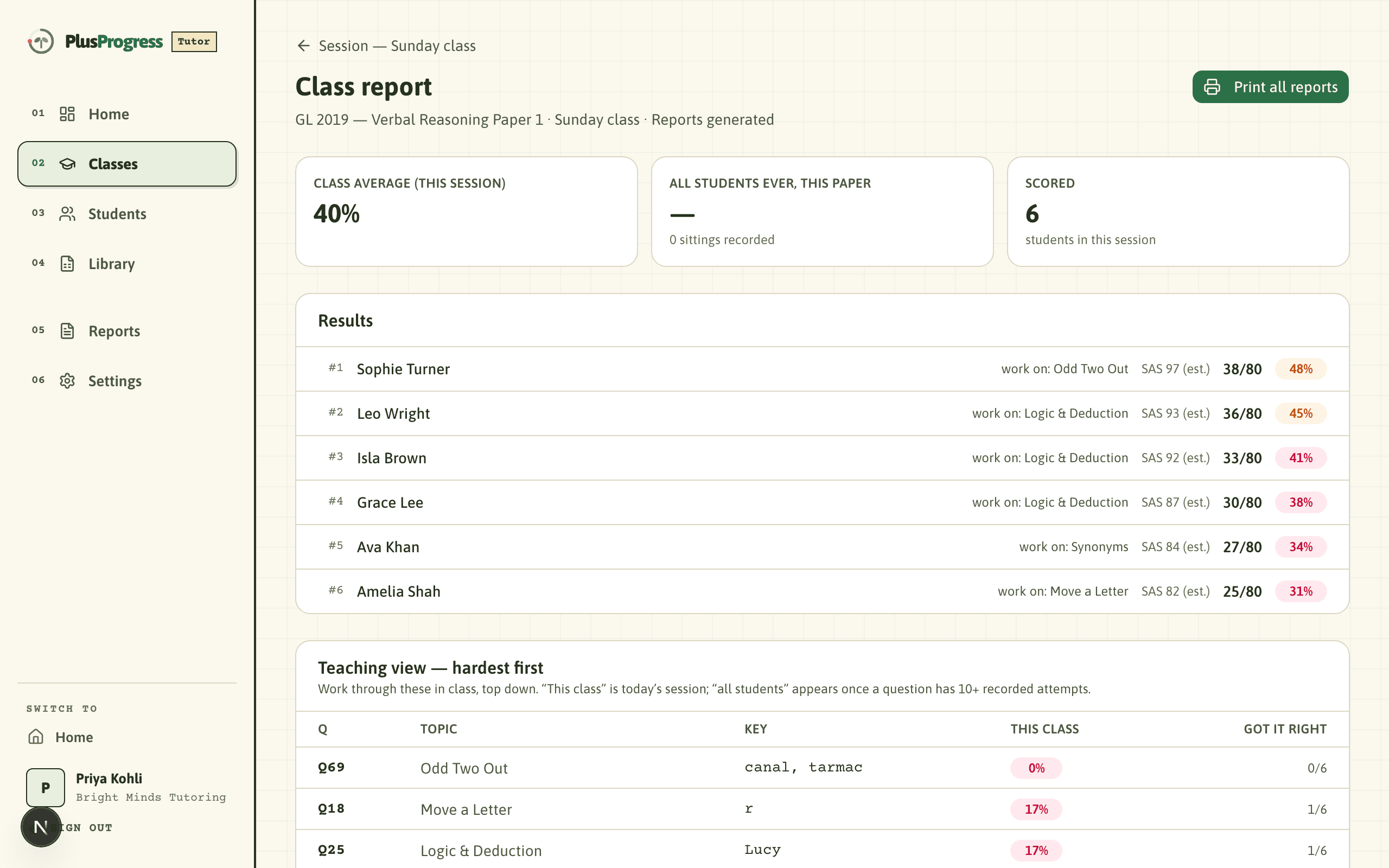
A class report with standardised age scores and a work-on topic per child, a hardest-first teaching view for your next lesson, and a per-student PDF for each family, released only when you say so, under your practice’s name.
What that buys you
The pile that used to be an evening of hand-marking becomes a photo batch. Scan it, glance at the flags, accept, done.
Every session updates each child’s strengths and work-on topics, and the class view sorts the hardest questions first, so the next lesson plans itself.
You walk into every parent conversation holding the chart: a standardised age score, the trend, and the topics to work on next, under your practice’s name.
What it costs
Free
The whole portal: classes, sessions, QR sheets, scan-and-mark, homework and reports. No card, no tier, no per-student fee.
Free weekly homework
Every student gets free access covering one 30-minute homework a week, set by you. Families who want full adaptive practice at home can upgrade themselves; the choice is theirs.
When they upgrade
When a family you introduced pays for a plan, you can opt into a share of what they pay. We never chase your parents to upgrade. Ask us when you apply.
Your students remain your students
- ✓A managed login stores a first name and a year group. Nothing else about the child is asked for.
- ✓We never market to your families or contact them around you. We are the tooling underneath.
- ✓Reports go out when you approve them, under your practice’s name.
- ✓Upgrading is a family’s own choice, made in their own account. We never chase them.
Questions tutors ask
Do my students need accounts?
They get managed logins that store a first name and a year group, nothing else, handed out on a printed card. Parents connect only through the invite link you give them, and every student gets adaptive homework you can set by topic, free up to one 30-minute homework a week.
What happens when a scan can’t be read?
It gets flagged for your eye, never guessed. Blanks arrive pre-marked wrong, doubtful reads are queued for you with the photo alongside, and nothing is saved until you approve it. The final mark is always yours.
Which papers can I use?
GL familiarisation papers and EPP packs are set up and ready. For anything else you teach from, build your own template in minutes: the platform stores only which topic each question tests, never the paper itself.
Apply for a free tutor account
Every application is read by a person, usually within a day. It is how we keep the platform to genuine 11+ tutors. You will get an email the moment your portal is ready.
Free forever · No card · Your students remain yours